
Table of Contents
- Why Late-Night Streams Drain Your Energy
- Caffeine Management for Gamers: Timing Your Intake
- Hydration and Healthy Snacking to Prevent Sugar Crashes
- Physical Movement, Posture, and Streaming Ergonomics
- Lighting and Blue Light Management for Night Streams
- How to Prepare for a 24 Hour Stream
- The Best Coffee for Gamers: Choosing the Right Brew
- Post-Stream Recovery and Sleep Hygiene
- Frequently Asked Questions
Last Updated: September 28, 2026
Why Late-Night Streams Drain Your Energy
Your body runs on a natural clock, and if you want to know how to stay awake while streaming at night, you have to work with that clock instead of against it. That clock is your circadian rhythm, the internal schedule that tells you when to feel alert and when to wind down. When you broadcast at 2 AM, you're asking your brain to perform at its worst natural window.
Streamers often crash mid-broadcast for predictable reasons:
- Sleep pressure builds the longer you stay awake, and no amount of willpower stops it
- Dim light and screens confuse your internal clock, making you feel foggy
- Sitting still for hours slows blood flow and drains alertness
- Skipping meals or eating junk spikes and crashes your energy
CDC guidance on sleep and circadian rhythm
Caffeine Management for Gamers: Timing Your Intake
Caffeine management for gamers comes down to timing, not volume. Most streamers drink too much, too late, and wonder why they crash at hour four.
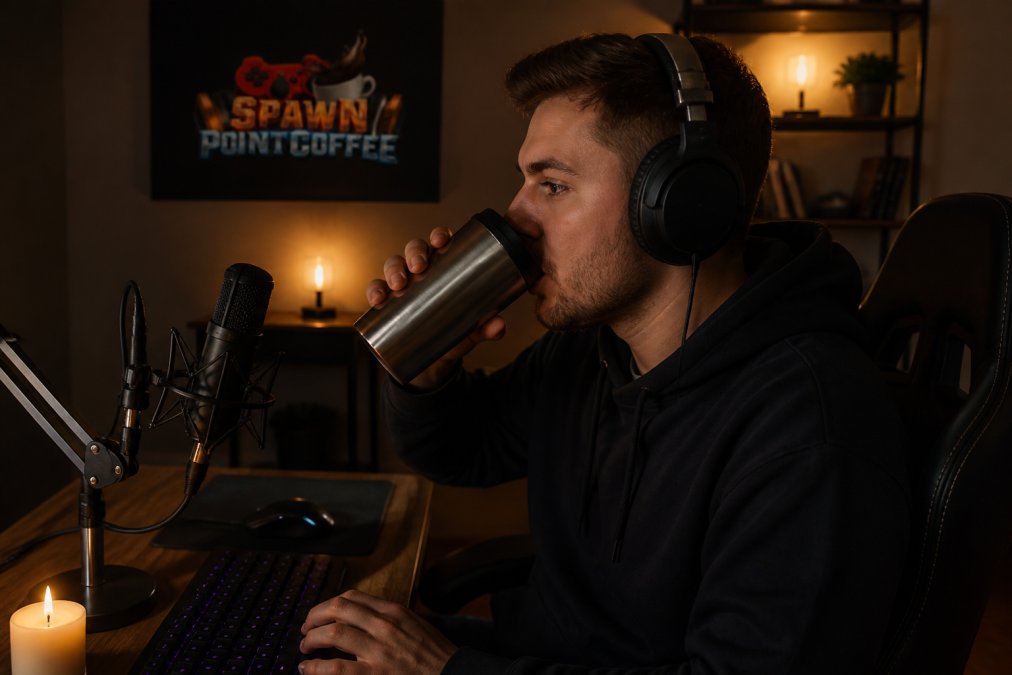
When to Drink Coffee During a Stream
Caffeine takes about 30 minutes to kick in. So plan ahead.
- Hour 1: First cup. This carries you through the early slog.
- Hour 3-4: Small second cup if you're fading.
- After hour 5: Switch to water or decaf.
Avoiding the Post-Caffeine Crash
The crash comes from drinking too much at once. Spread your caffeine intake out. Sip slowly instead of chugging. And never drink coffee in the last two hours of your stream if you plan to sleep after.
Hydration and Healthy Snacking to Prevent Sugar Crashes
Hydration is the most ignored part of how to stay awake while streaming at night. Dehydration makes you tired, foggy, and slow to react. Keep a full water bottle at your desk and sip between matches.
Reach for low glycemic index foods instead:
- Nuts and trail mix
- Greek yogurt
- Apple slices with peanut butter
- Beef jerky
- Whole-grain crackers
Physical Movement, Posture, and Streaming Ergonomics
Sitting still for six hours wrecks your body and your alertness. But streaming ergonomics is not the same as office ergonomics. You are not typing quietly, you are leaning toward a mic, craning at a second monitor for chat, gripping a controller or mouse for hours, and holding your shoulders up to stay "on" for an audience. That combination produces a specific fatigue pattern most general sleep advice ignores.
The streaming-specific fatigue pattern
Watch for these three failure points during a long broadcast:
- Neck and upper back lock-up from turning toward chat on a side monitor while your main game stays centered
- Wrist and forearm tension from gripping a mouse or controller tighter as you get tired, grip force climbs as focus drops
- Hip and lower-back stiffness from a gaming chair that reclines you into a slouch instead of supporting your lumbar curve
Fix your station for a broadcast, not an office
- Put chat on the same plane as your game. A second monitor angled 45 degrees to the side forces constant neck rotation. Stack chat vertically on your main display, or place the second monitor directly beside the first at the same height.
- Set your mic so you do not lean in. Position the boom arm so your normal seated posture is already on-axis. Leaning toward a mic for four hours is a slow neck strain.
- Match chair recline to task. A slight recline (around 100-110 degrees) reduces lower-back load during long sessions. Fully upright is fine for short bursts, not marathons.
- Keep elbows at roughly 90 degrees with forearms roughly parallel to the floor. If your wrists bend upward to reach the keyboard, the desk is too high.
- Feet flat, knees near hip height. A footrest helps shorter streamers avoid dangling legs, which pulls on the lower back.
Movement breaks that actually reset alertness
A 60-second break every hour beats a 10-minute break every four hours. The point is frequency, not duration.
- Stand and walk during queue times, death timers, and loading screens. You do not need to leave the room, just get out of the chair.
- Shoulder rolls and neck turns undo the chat-monitor twist.
- Wrist extensions and finger spreads counter grip tension.
- A quick set of bodyweight squats or jumping jacks between rounds raises blood flow and alertness faster than another cup of coffee.
Use your audience as a movement cue
Lighting and Blue Light Management for Night Streams
Light controls your alertness more than you think. Bright overhead lights at night tell your brain it's daytime, which fights your circadian rhythm.
- Use ambient lighting behind your monitor, not blasting your face
- Lower your screen brightness as the night goes on
- Try blue light glasses or a night mode filter
- Avoid pure white light. Warm tones are easier on your eyes
How to Prepare for a 24 Hour Stream
A 24-hour stream is an endurance event, not a long night. You cannot wing it and expect to stay sharp. Preparation starts days before you go live, and the plan has to account for the fact that your energy will not be flat, it will rise and crash in phases.
Pre-stream sleep and meal planning
- Bank sleep for two nights before, not the night before. Trying to "save up" sleep the day of the stream usually backfires, you wake up groggy and start the broadcast already behind.
- Eat real meals in the 24 hours before you go live. Protein and complex carbohydrates digest slowly and keep blood sugar steady. A heavy, greasy meal right before the stream will make you drowsy by hour two.
- Prep food ahead. Cut vegetables, portion snacks, and fill water bottles before you start. Ordering food at 3 AM almost always means something sugary or greasy.
- Set up your space in advance. Lighting, hydration, snacks, and a charged backup headset should all be ready before you hit "go live." Scrambling mid-stream burns focus.
Phase your energy across the broadcast
Treat the 24 hours as four blocks, not one long push:
Racing Fuel | Hyper Caffeinated Medium →
- Hours 1-6 (prime time): Highest energy and viewer count. Do your most demanding content here. Caffeine is fine early.
- Hours 7-12 (the slog): Energy dips. This is where movement breaks, hydration, and a light snack matter most.
- Hours 13-18 (overnight trough): The hardest stretch. Schedule a nap, drop caffeine, and lean on chat interaction to stay engaged.
- Hours 19-24 (final push): Adrenaline often carries you, but judgment and reaction time are degraded. Keep content simple and low-stakes.
Mid-stream power naps and recovery
A power nap of 15-20 minutes can reset your brain mid-stream. Longer than that and you risk waking up groggy from deep sleep, the opposite of what you want.
- Schedule the nap during your lowest-viewer window. Your chat will understand, and a short "BRB" screen keeps the stream alive.
- Set an alarm and stick to it. Snoozing past 30 minutes usually makes the rest of the stream worse.
- Try a "caffeine nap" if you tolerate caffeine well. Drink a small coffee right before a 20-minute nap. By the time you wake, the caffeine is starting to take effect. This is a common pattern among shift workers, not a magic trick, test it on a normal night before you rely on it during a marathon.
- Hydrate immediately after waking. A glass of water does more for post-nap fog than another energy drink.
Know the real risk of sleep deprivation
Pushing past 24 hours without sleep causes measurable sleep deprivation. Reaction time slows, judgment slips, and you become worse at tasks you normally do automatically. For a streamer, that means missed cues, bad calls, and a broadcast that feels off to your audience.
The post-marathon cool-down
Most guides stop at the end of the stream. The transition out of a high-adrenaline broadcast is its own problem: you are wired, your chat is still active, and your brain does not want to shut off.
- Do not go straight to bed. Give yourself 30-60 minutes to come down.
- Dim the lights and step away from screens. Your eyes and brain need a signal that the session is over.
- Eat something light and drink water. A full meal right before sleep can disrupt rest.
- Save the recap and clip editing for later. Reviewing your own VOD keeps your brain in broadcast mode.
NIOSH guidance on shift work and fatigue
The Best Coffee for Gamers: Choosing the Right Brew
The best coffee for gamers is one that gives steady energy without jitters that wreck your aim. Too much caffeine at once makes your hands shake and your focus bounce.
Look for:
- Medium roasts for balanced energy
- 100% Arabica beans for smooth taste
- Low acidity to avoid stomach issues on long nights
- Freshly roasted beans for better flavor
Post-Stream Recovery and Sleep Hygiene
What you do after you log off decides how you feel tomorrow. Sleep hygiene and recovery are part of streaming, not separate from it.
Wind down before bed:
- Stop caffeine at least six hours before sleep
- Dim your lights an hour before bed
- Put your phone down
- Keep your room cool and dark
Frequently Asked Questions
How do I stay awake during a late-night stream without crashing?
Space your caffeine intake instead of drinking it all at once. Have a small amount at the start of your stream, then another around the halfway point. Pair that with water and a protein-rich snack every two hours. This keeps your energy levels steady and helps you avoid the sugar crash that hits when you rely on energy drinks alone.
What is the best coffee for gamers who stream at night?
A medium roast with low acidity and a higher caffeine content works well for long sessions. For example, Spawn Point Coffee's Racing Fuel is a hyper-caffeinated medium roast with 100% Arabica beans and subtle berry notes. It provides a smooth energy lift without the harsh acidity that can upset your stomach during a long broadcast.
How can I avoid the post-caffeine crash during long broadcasts?
Drink water alongside your coffee to stay hydrated, and eat snacks with a low glycemic index like nuts or yogurt. Avoid drinking a large amount of caffeine all at once. Instead, spread it across the stream. When you feel a dip coming, stand up and stretch for a minute or two. Movement boosts alertness without adding more stimulants to your system.
What is the best way to manage lighting to stay awake while streaming?
Keep your room well-lit during the stream, and avoid sitting in complete darkness. Blue light exposure from screens can suppress melatonin and disrupt your circadian rhythm, so consider using blue light glasses or enabling night mode on your monitor after midnight. Adjust screen brightness to match your ambient lighting to reduce eye strain.
Staying sharp through late-night streams takes more than willpower. It takes the right fuel, and that's where Spawn Point Coffee comes in. We roast on demand for freshness, offer blends built for long sessions, and ship grind options that fit your setup. Whether you need a hyper-caffeinated blend or a smooth medium roast, we've got your back. Get started with Spawn Point Coffee and keep your energy steady from first match to last.